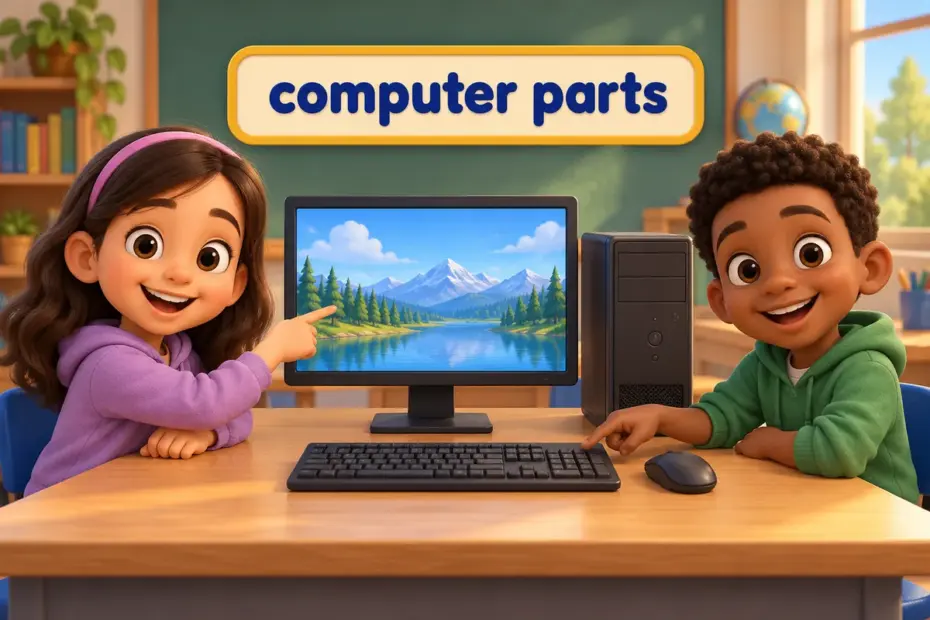
Parts of computer with pictures begin with the devices you can see: the keyboard, mouse, monitor and system unit. The keyboard and mouse send commands, the monitor shows results, and inside the case the motherboard, processor, memory and storage keep everything running. Naming each part makes buying and fixing a machine far easier.
Parts of Computer at a Glance
- A computer has input devices, an output device and a system unit.
- The keyboard and mouse are the usual input devices.
- The monitor is the main output device.
- The system unit, often called the tower, holds the working parts.
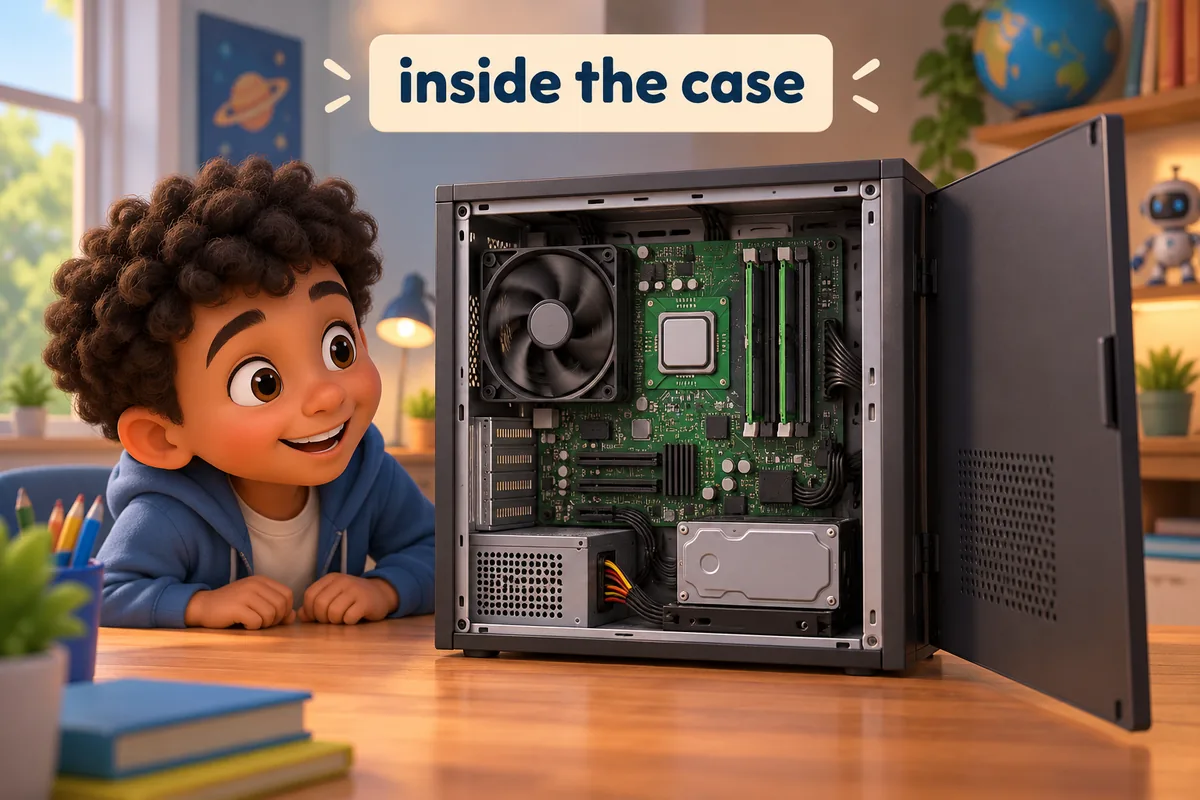
- Inside the tower sit the motherboard, processor, memory, storage and a fan.
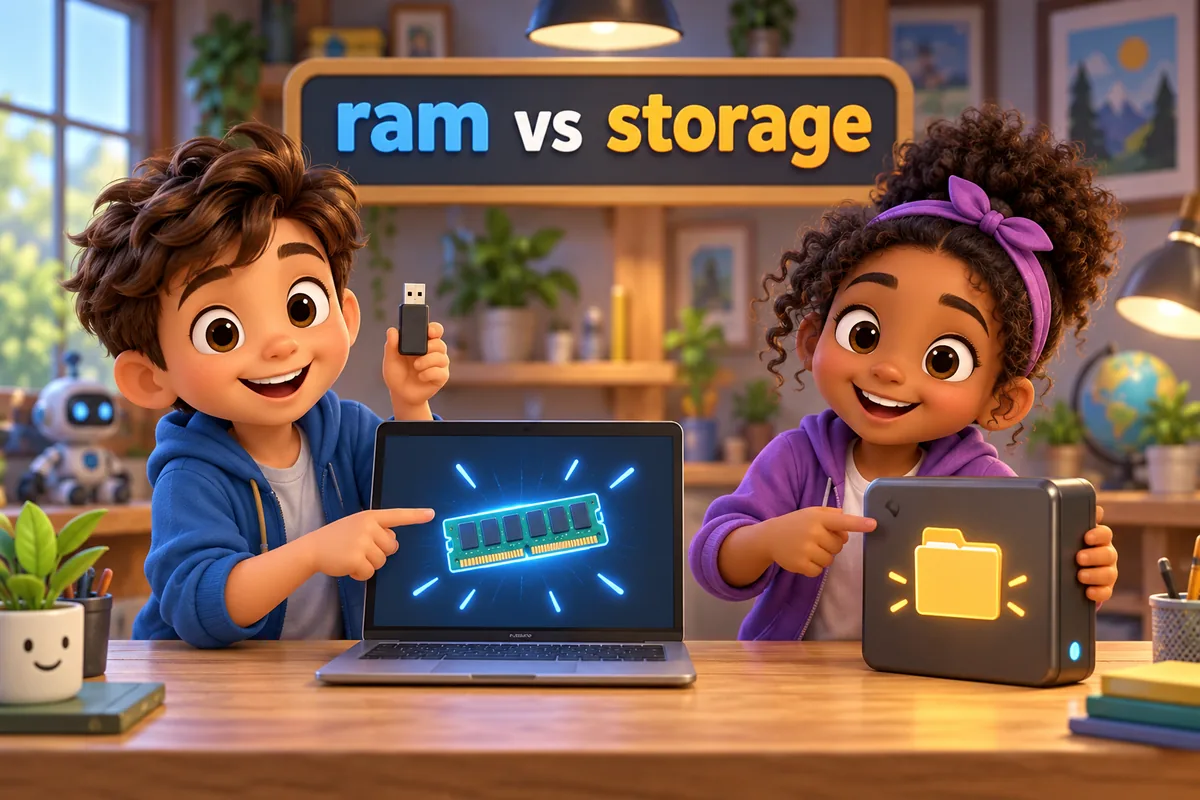
- RAM is temporary memory, while storage keeps files when the power is off.
What are the parts of a computer?
A computer divides into the parts you touch and the parts inside the case. The keyboard, mouse and monitor sit on the desk, while the system unit holds the motherboard, processor, memory, storage and cooling. Each group does a different job, so treat the outside and the inside as two lists.
| Part | Where it sits | What it does |
|---|---|---|
| Monitor | On the desk | Displays text and images as output |
| Keyboard | In front of the monitor | Sends typed input to the computer |
| Mouse | Beside the keyboard | Moves the pointer and clicks on items |
| System unit | Beside or under the desk | Holds the parts that process and store data |
| Motherboard | Inside the system unit | Connects every internal part together |
| Processor (CPU) | On the motherboard | Carries out instructions from programs |
| Memory (RAM) | Slotted into the motherboard | Holds the work in progress for quick access |
| Storage drive | Inside the system unit | Keeps files and programs after shutdown |
| Graphics card | Inside the system unit | Draws images and video on the screen |
| Power supply | Inside the system unit | Changes wall power into the voltage the parts need |
| Cooling fan | On the case or the processor | Moves hot air out so the parts stay cool |
What does each part of a computer do?
Grouping the parts by job makes the list easier to hold in memory. Input, output, processing, memory and storage are five separate functions, and most parts belong to exactly one of them.
| Job | Part responsible | Why it matters |
|---|---|---|
| Input | Keyboard and mouse | Bring your commands into the machine |
| Output | Monitor and speakers | Show or play the result for you |
| Processing | Processor (CPU) | Works through the instructions of a program |
| Temporary memory | RAM | Keeps open work fast, then clears when power is off |
| Storage | Hard drive or solid-state drive | Saves files so they survive a shutdown |
| Cooling | Fans and heatsinks | Stop fast parts from overheating |
How do you use computer part words in a sentence?
These nouns behave like most equipment words. They take the when you name one part, and they often follow prepositions that say where the part sits or what it connects to.
| Pattern | Example | What it signals |
|---|---|---|
| the + part + of the computer | The processor of the computer sits on the motherboard. | Names one part of the whole |
| part + action verb | The fan keeps the processor cool. | Describes the part’s job |
| verb + the + part | Restart the system unit after the update. | Uses the part as an object |
| adjective + part | A solid-state drive loads faster than a hard drive. | Adds a quality to the part |
| there is / are + part | There are two memory slots on the board. | States how many parts exist |
Parts of a Computer in Everyday Contexts
The same part names appear in shops, classrooms and support desks. Each sentence below uses an exact term so the reader knows which piece is meant.
| Context | Example sentence | Why this works |
|---|---|---|
| Computer shop | This laptop has a faster processor and more memory. | Names two parts a buyer compares |
| Classroom | Save the file to the storage drive before you log off. | Points to where files live |
| Support desk | Check whether the monitor cable is loose at both ends. | Names the part being tested |
| Tech review | The cooling fan stays quiet under heavy loads. | Links a part to a daily experience |
| Office setup | Place the keyboard and mouse at a comfortable height. | Uses input-device names precisely |
| Word study | We practised the noun computer in a sentence before the hardware. | Starts with the whole machine |
| Design work | The graphics card speeds up a computer-aided design model. | Connects a part to its use |
| Software talk | The memory frees up the moment the program closes. | Shows memory as temporary |
A few links make the vocabulary stick. A page on the computer monitor names the output device you look at all day, while pages on a computer program and the noun computer reuse the same core terms in new sentences.
Computer Parts That Are Easy to Confuse
Four pairs cause most of the muddle. Two involve parts that sit close together, and two involve words that name different jobs.
| Pair | How they differ | Quick test |
|---|---|---|
| system unit / CPU | The system unit is the whole case; the CPU is the processor chip inside it. | If it is a box, it is the system unit. |
| memory / storage | Memory is temporary and clears at shutdown; storage keeps files. | If it survives a restart, it is storage. |
| monitor / system unit | The monitor shows output; the system unit does the processing. | If you look at it, it is the monitor. |
| keyboard / keypad | A keyboard has full letter and number keys; a keypad is a small set of keys. | If it has letters, it is a keyboard. |
The same label-and-function habit carries across object lists, which is why a page about the parts of a car follows the pattern you are practising here.
Word Forms and Plurals for Computer Parts
Most part names are regular nouns, but a few need care. The table below shows the form to write and one that learners often get wrong.
| Form | Part of speech | Example |
|---|---|---|
| monitor / monitors | countable noun | Two monitors share the workspace. |
| mouse / mice | countable noun with an irregular plural | Both mice ran out of battery. |
| memory | noun, usually uncountable here | The computer needs more memory. |
| processor / processors | countable noun | Modern processors run many tasks at once. |
| store / stored | verb and participle | The drive stored every file safely. |
| solid-state | compound adjective | A solid-state drive has no moving parts. |
Common Mistakes When Naming Computer Parts
These errors appear in student notes and support tickets. Each one shows the wrong version, the corrected version and the rule behind the fix.
Incorrect: Plug the cable into the back of the CPU. Correct: Plug the cable into the back of the system unit. The system unit is the whole case; the CPU is the processor chip inside it.
Incorrect: Save the file to the memory. Correct: Save the file to the storage drive. Memory is temporary and clears at shutdown, while storage keeps files.
Incorrect: I bought two mouses. Correct: I bought two mice. The plural of the pointing device follows the irregular form mice, though mouse devices is also used.
Incorrect: The monitor processes the data. Correct: The processor processes the data, and the monitor shows the result. Displays present output rather than carrying out instructions.
Incorrect: The keypad has all the letters for typing. Correct: The keyboard has all the letters, while a keypad holds only a small set of keys. Letters and space bar mark a full keyboard.
Practice Using Computer Part Vocabulary
Six tasks cover the terms you have met. Write your own answers before you read the reasoned list below.
- Fill in the blank: The part that carries out program instructions is the _____.
- Fill in the blank: Files stay safe after shutdown when they are on the _____ drive.
- Choose the better word: More (memory / storage) keeps many files for later.
- Correct the error: I plugged the cable into the CPU case at the back.
- Build a sentence: use cooling fan to explain how heat leaves the machine.
- Spot the register: which sentence belongs in a support ticket, and which in a review?
Answers
- processor; the CPU is the chip that works through a program’s instructions.
- storage; a storage drive keeps files when the power is off.
- storage; memory is temporary and clears at shutdown, so files need storage.
- I plugged the cable into the system unit at the back; the case is the system unit, not the CPU.
- One model answer: The cooling fan moves hot air out so the processor stays within a safe temperature.
- The sentence about a loose monitor cable suits a support ticket; the sentence about the quiet fan suits a review.
The Bottom Line
The parts of computer hardware fall into input devices, output devices and the system unit that holds the working parts. The keyboard and mouse bring data in, the monitor shows results, and inside the case the motherboard, processor, memory, storage and fan keep everything running. Keep the two big pairs apart: memory is temporary while storage persists, and the system unit is the case while the CPU is the chip. With these terms secure, buying or troubleshooting a machine stops being guesswork.
Frequently asked questions about parts of computer with pictures
What are the basic parts of a computer?
The basic parts are the monitor, keyboard, mouse and system unit. Inside the system unit sit the motherboard, processor, memory, storage drive, graphics card, power supply and cooling fan. The keyboard and mouse provide input, the monitor provides output, and the parts inside the case process and store everything.
What is the difference between RAM and storage?
RAM is temporary memory that holds the work in progress while the computer is on, and it clears completely at shutdown. Storage, such as a hard drive or solid-state drive, keeps files and programs permanently. More RAM helps many open programs run smoothly, while more storage lets you keep more files.
What does the CPU do?
The CPU, or processor, carries out the instructions that programs send it. It reads each instruction, performs the arithmetic or logic it asks for, and passes the result on. Its speed and number of cores affect how quickly tasks finish, which is why the processor is often the first specification buyers compare.
Is the monitor part of the computer?
The monitor is a peripheral that connects to the system unit, so it is part of the complete setup but not part of the processing hardware. It receives a video signal and displays text and images. Many workplaces replace the monitor without touching the system unit, which shows the two are separate parts.